Bring Microsoft 365 into your company for real.

Training paths guided by certified experts to transform Copilot from an ignored feature into a daily habit. For Copilot Chat and Copilot Premium.

+75%
adoption rate
250+
use cases & courses
600+
ready-to-use prompts
Trusted by leading companies across Europe
SIMPLE, TRANSPARENT PRICING

The Adoption Project

AI Agent, 600+ prompts, expert-led training, and advanced analytics — everything included. Choose the plan that fits your team.

our PROJECTS

Feature

Skills assessment survey
Communication support
Trainer-led session (1 hour)
Workshop: “Find your Copilot use case” (2 hours)
Post-adoption survey
Language
Duration
Leadership awareness and engagement
"Champions" group engagement
"How to" support through the community of practice
The "Copilot Run" game (gamification)
Small

Starting from
3.450€/year

Base path
1 workshop
1
2 months
(to be purchased separately)
Large

Starting from
8.450€/year

Base path + 3 courses
4 workshops
1
4 months
(to be purchased separately)
Pricing Comparison

Compare our pricing plans

Business Plan

<300 M365 licenses.
Starting from
7.450€/year
FOR THE FINAL USER
Nudge delivery or e-learning content recommendations based on Copilot usage
E-learning courses and use cases
My in-progress courses
Final knowledge check quiz
My course participation certificates
Instructor-led training via Teams
(1 hour)
1
Workshop: “Find your Copilot use case”
(2 hours)
1
Workshop: “Agents: identify high-impact use cases” (2 hours)
1
FOR THE TRAINER
Automatic classification of users
Adoption statistics
Follow-up with a Copilot specialist for monitoring
1

Enterprise Plan

<5000 M365 licenses.
Starting from
13.450€/year
All of Business, plus:
FOR THE FINAL USER
Leaderboard, my points, and my badges (gamification)
Prompt library with 600+ prompts
Instructor-led training via Teams
(1 hour)
2
Workshop: “Find your Copilot use case”
(2 hours)
2
Workshop: “Agents: identify high-impact use cases” (2 hours)
2
Webinar: “What’s new in Copilot”
2
FOR THE TRAINER
Follow-up with a Copilot specialist for monitoring
2

Premium Plan

+5000 M365 licenses.
Starting from
18.450€/year
All of Business, plus:
FOR THE FINAL USER
Leaderboard, my points, and my badges (gamification)
Prompt library with 600+ prompts
Instructor-led training via Teams
(1 hour)
3
Workshop: “Find your Copilot use case”
(2 hours)
3
Workshop: “Agents: identify high-impact use cases” (2 hours)
3
Webinar: “What’s new in Copilot”
3
FOR THE TRAINER
Follow-up with a Copilot specialist for monitoring
2

Diamond Plan

Any size.
Starting from
27.450€/year
All of Business, plus:
FOR THE FINAL USER
Leaderboard, my points, and my badges (gamification)
Prompt library with 600+ prompts
Instructor-led training via Teams
(1 hour)
4
Workshop: “Find your Copilot use case”
(2 hours)
4
Workshop: “Agents: identify high-impact use cases” (2 hours)
4
Webinar: “What’s new in Copilot”
4
FOR THE TRAINER
Follow-up with a Copilot specialist for monitoring
3
TRAINING PATH

The base path:
what your team will learn

The base path is a series of live sessions (1 hour each) held by Microsoft-certified trainers via Microsoft Teams. Content varies based on the product.

Intro to Copilot

For understanding generative AI
What generative AI is and how it works
Difference from machine learning
Privacy and corporate data protection
Ethics and responsibility in AI usage
Introduction to Copilot Chat with practical examples

Prompting techniques

For better results
What prompts are and how to interact with AI
The structure of a prompt: context and goal
Advanced concepts: iterative requests, chain of thought
Real examples and use cases in Copilot Chat

Creating content with Copilot

For the "Create" feature
How to make the most of the "Create" function
Generating texts, presentations and reports
Creating images, banners, posters and infographics

Copilot in Office

For everyday productivity
Copilot in Outlook: to use AI when writing new emails.
Copilot in Teams: for quick access to Copilot Chat in the tool you use every day.

Intro to Copilot Premium

For macro features
Generative AI: what it is and how it works
Privacy and corporate data protection
Copilot Premium macro features
Access to company data and M365 integrations

Copilot for meetings

For everyday use
Overview of Intelligent Recap
Copilot features pre, during and post-meeting
Effective prompts in Outlook and Teams
Time savings in meeting management

Features and advanced use cases

For getting the most out of AI
Creating content with the "Create" function
Advanced features of Copilot Chat
Context IQ: connect Copilot to your data
Advanced use cases for everyday work

AI Agents

For increasing productivity
Introduction to declarative agents
How to create agents for personal productivity
Access to company knowledge through agents
ADDITIONAL COURSES

Course catalog,
clients' choice

In addition to the base path, you can add specific courses by role or function. Available as webinar (for large groups) or interactive workshop (with hands-on exercises).

PRACTICAL WORKSHOPS

Two workshops to go deeper

Hands-on 2-hour sessions with our specialists. The team works side by side with your colleagues to turn theory into concrete results.

"Find your use case with Copilot"

◷  2 hours   ◇  max 20 people

Helps your colleagues map daily activities and identify where Copilot can truly make a difference, thinking in "Copilot-first" mode.

  • Mapping of repetitive and time-consuming activities
  • Identification of high-impact use cases
  • Guided experimentation in real time
  • Increase in return on investment on licenses

"AI Agents: find the high-impact use cases"

◷  2 hours   ◇  max 20 people

A certified framework to analyze business processes and understand which ones can be automated or enhanced with Microsoft Copilot AI agents.

  • Process analysis with the 4D framework
  • Assessment of available data and automatable decisions
  • Prioritization of high-impact processes
  • Concrete roadmap for agent implementation
CONTINUOUS ADOPTION

Adoption doesn’t stop here with Copilot Circle

Training is the starting point. For lasting adoption, Copilot Circle keeps working for you with an AI Agent that never stops.

Analytics & Classification

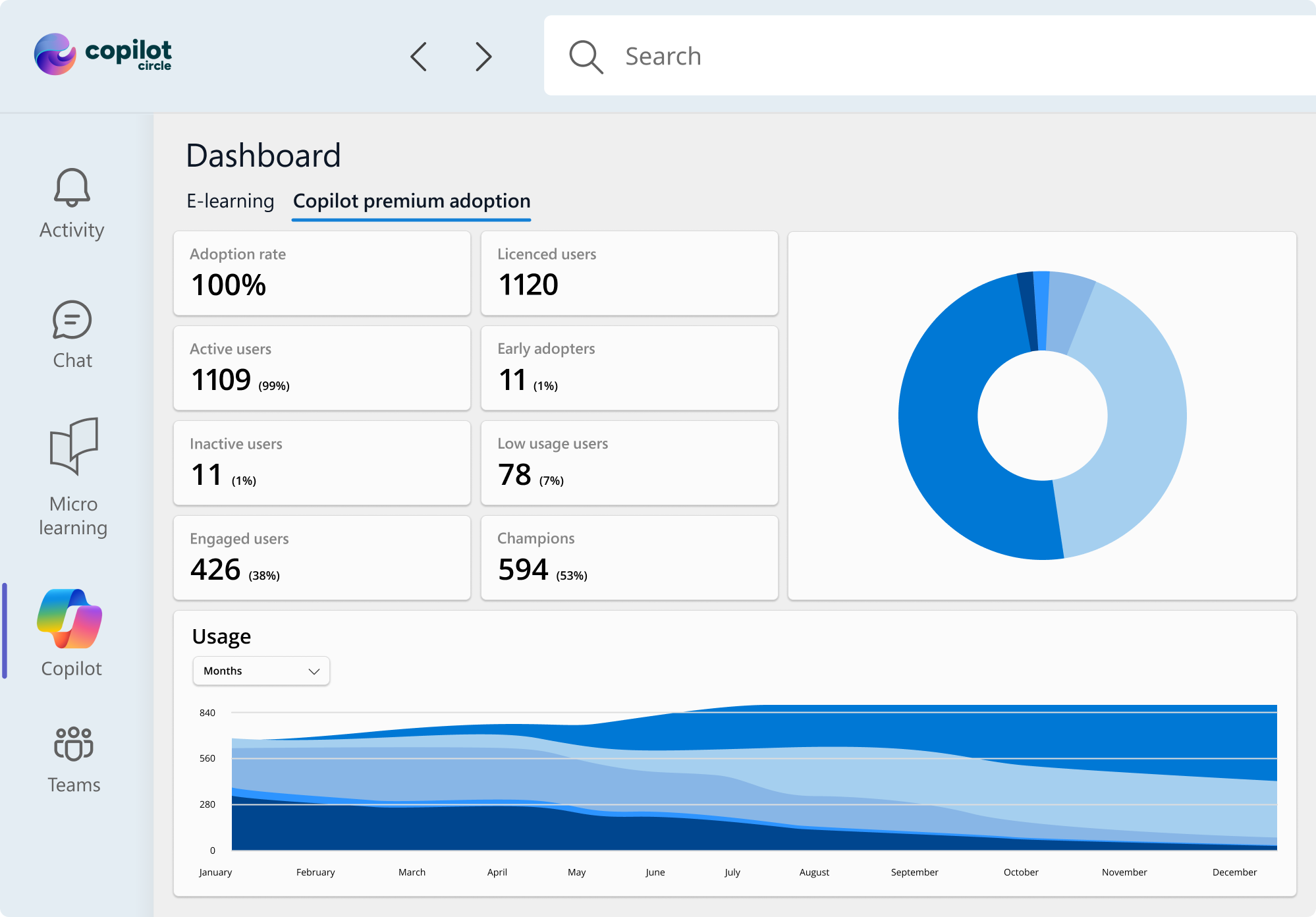
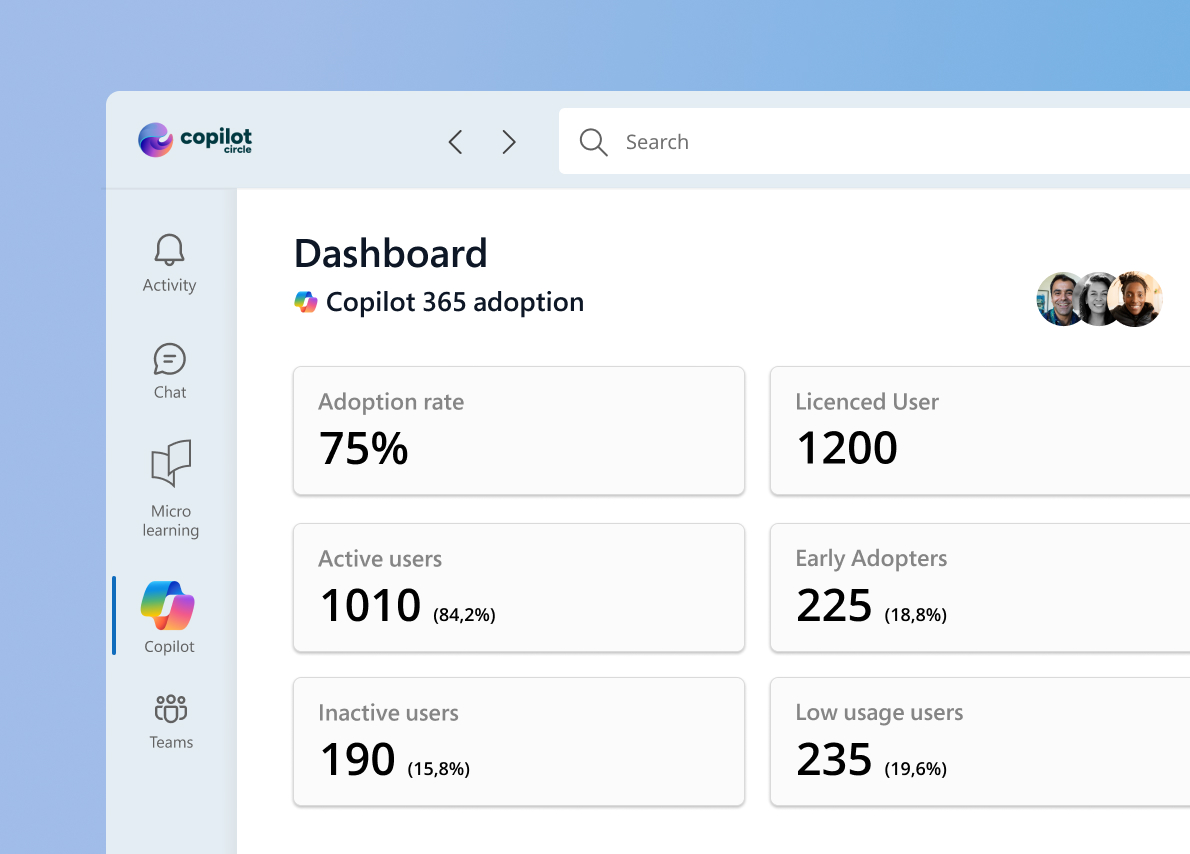
Track adoption rates in real time for each user. Automatically classifies people by level: inactive, beginner, regular, power user.

Adaptive Nudges on Teams

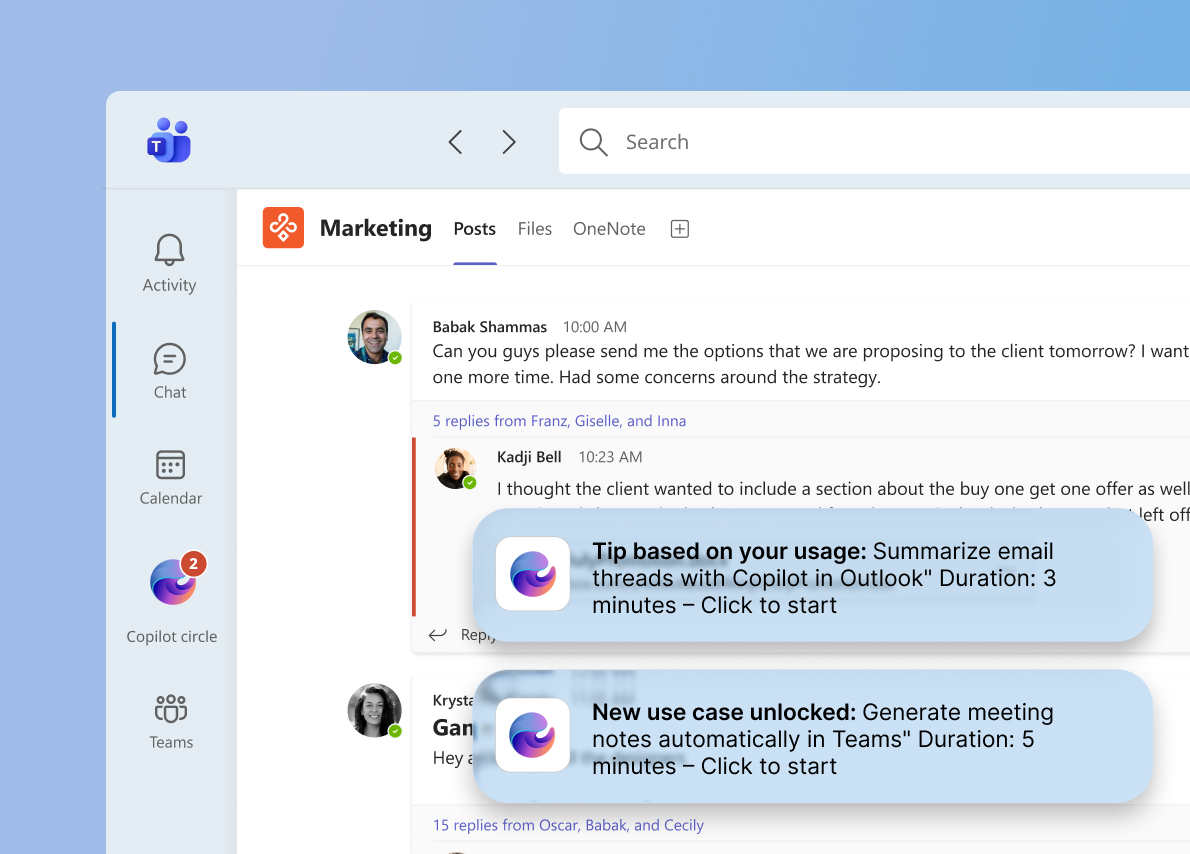
The AI Agent sends personalized notifications in Microsoft Teams with useful prompts, tips and formatted suggestions, calibrated to each user's level.
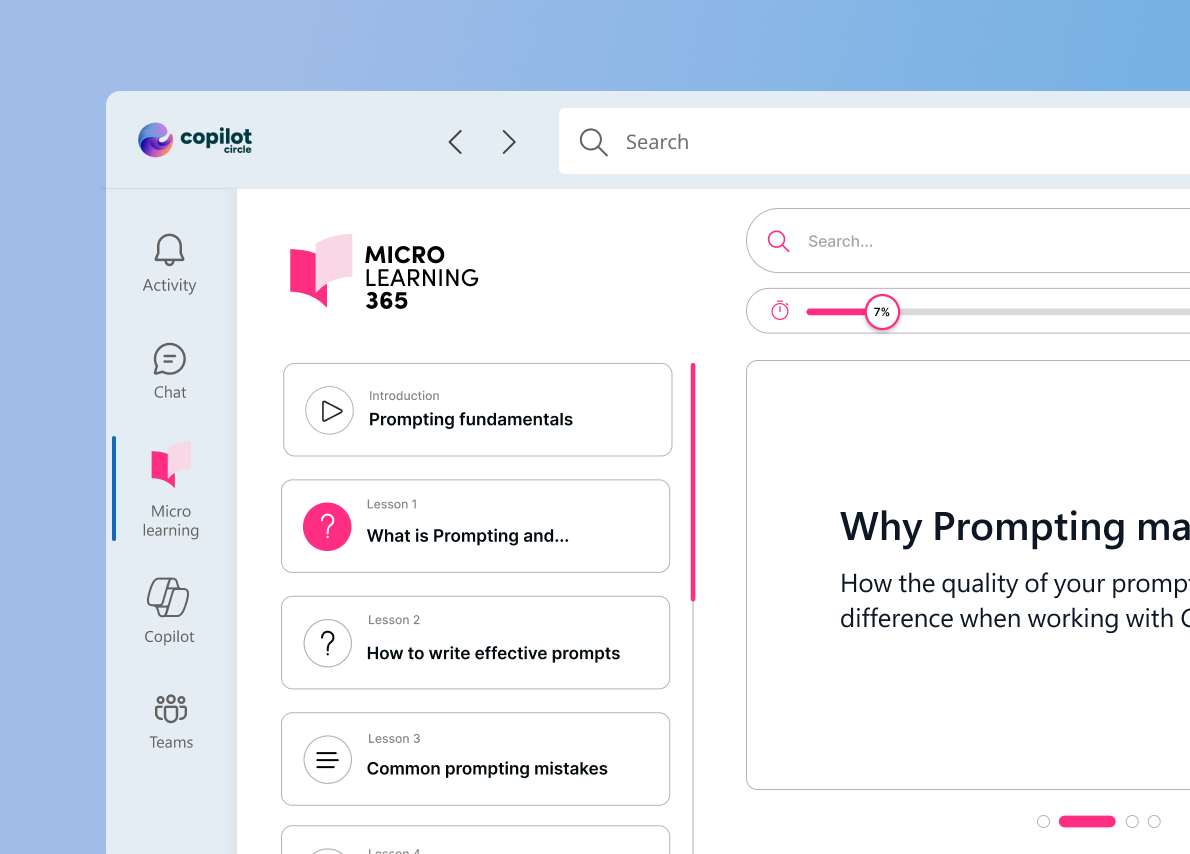
Adaptive Microlearning

150+ e-learning courses with quizzes and certificates. Content adapts to the user's level and stays constantly updated with the latest Copilot news.
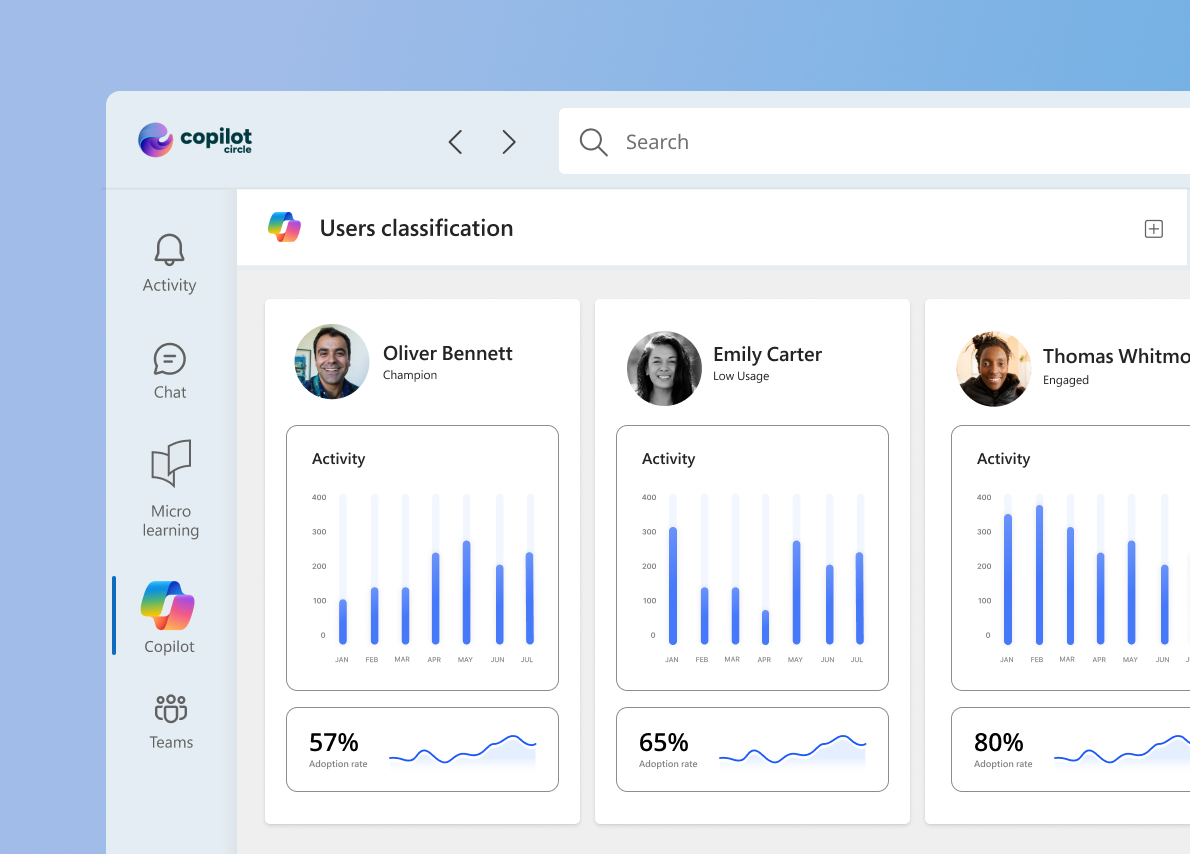
Always-On AI Agent

Not a one-time training. The agent monitors, classifies and acts autonomously to sustain adoption over time, with no manual intervention.

Learn more about Copilot Circle

The AI-powered Copilot Adoption platform that helps companies monitor and improve Copilot usage and accelerate adoption at scale.
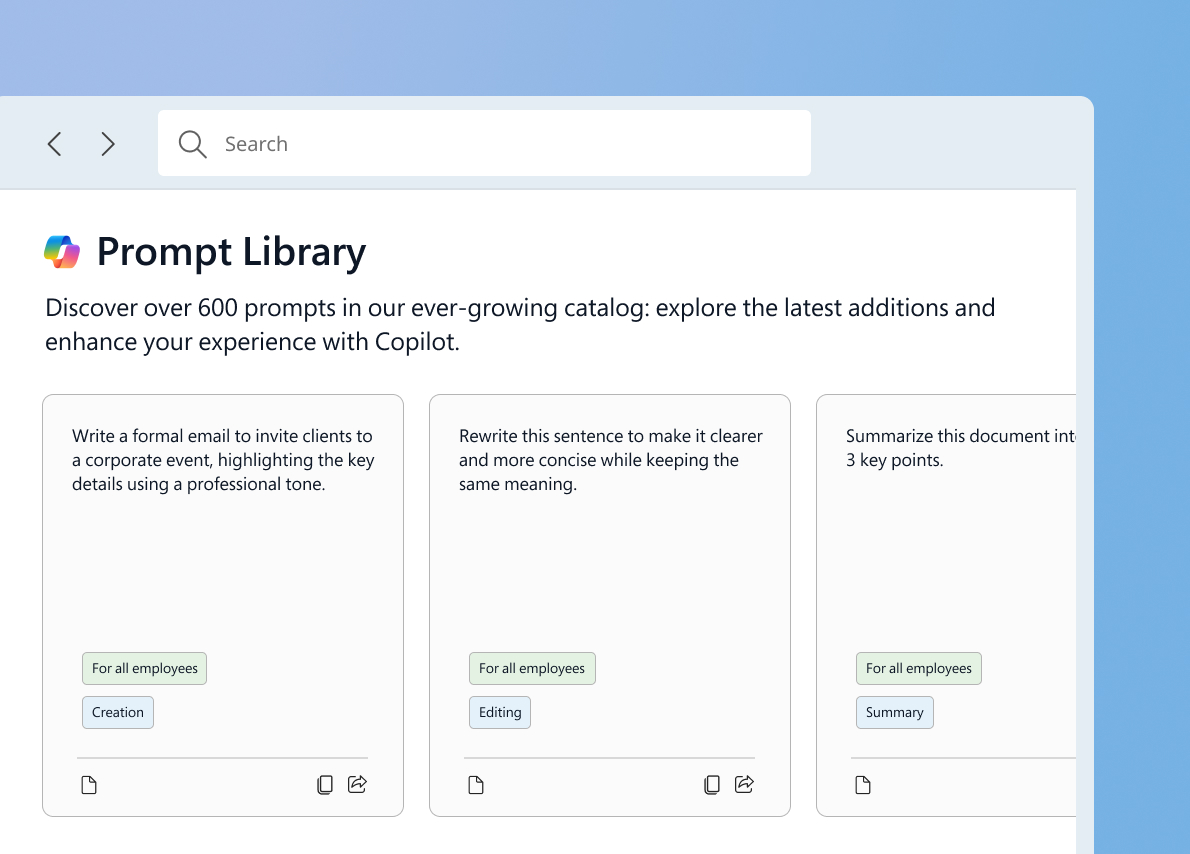
with Enterprise, Premium and Diamond plans

600+ Prompt Library

A curated library of 600+ ready-to-use prompts, organized by role, scenario and Microsoft 365 app.

Your teams never start from a blank page.

THE ADOPTION PATHS

Don't know which path to choose for your company?

We offer training on both Microsoft Copilot products.
You can choose one or both paths based on the licenses you have active.

Copilot Chat

Included in Microsoft 365 · Free

The awareness path for those who already have access to Copilot Chat with their Microsoft 365 licenses. A solid foundation to start using AI safely.

Introduction to generative AI and Copilot Chat
Security, privacy and corporate data protection
Advanced prompting techniques
Content creation with the "Create" function
Copilot in Outlook, Word, Excel and PowerPoint
Introduction to Copilot Chat with practical examples

Ideal for the entire company team. No additional license cost required.

Copilot Premium

Copilot Premium · Paid license

The complete path for those who have purchased Copilot. Leverage the advanced features integrated with company data and M365 tools.

Macro features and access to company data
Copilot for meeting management (Teams, Outlook)
Intelligent Recap and Context IQ features
Advanced features and use cases
Creation and management of AI agents for productivity

Maximize the ROI of your Copilot Premium licenses with specialist training.

Among the top experts in Microsoft Copilot

We are certified Microsoft partners and among the few to have obtained the Copilot Jumpstart Partner status in Italy. We work with SMB companies up to large enterprises across Europe.

Microsoft Copilot Jumpstart Partner
Élite recognition for Copilot adoption in companies
4.7 stars on Capterra
2024 Best Customer Support
300+ clients across Europe
Bracco, Recordati, MSC Cruises, Bulgari and many more
95% real adoption rate
Result measured on projects already completed with our clients
CONTACT US

Ready to bring Copilot into your company?


Fill in the form. One of our specialists will get back to you within 24 hours to understand your needs and suggest the most suitable path.

FAQs

Frequently asked questions

What exactly is Copilot Circle?

Copilot Circle is an AI-powered platform that helps organizations drive real adoption of Microsoft Copilot. It combines an intelligent AI Agent that monitors usage and classifies users, adaptive microlearning courses, a library of 600+ prompts, and live training with certified experts — all integrated natively into Microsoft 365.

How does the AI Agent work?

The AI Agent connects to your Microsoft 365 environment and analyzes how each user interacts with Copilot. It classifies users by maturity level (inactive, beginner, regular, power user) and automatically delivers personalized content — nudges, prompts, and micro-courses — through Microsoft Teams. No manual configuration needed.

What are Adaptive Nudges?

Adaptive Nudges are personalized notifications delivered in Microsoft Teams based on each user's behavior and maturity level. They include ready-to-use prompts, contextual use cases, and course suggestions — all triggered automatically by the AI Agent when it detects the right moment for each user.

What training courses are included?

The platform includes 150+ use cases and microlearning courses covering Copilot fundamentals, cross-functional use cases, and department-specific training for HR, Marketing, Sales, IT, Legal, and Finance. All courses include interactive quizzes, certificates, and are available in 40+ languages.

Can we also get live training with real people?

Absolutely. Our certified Copilot experts deliver three types of live sessions: monthly "What's New" updates, on-demand training sessions from our catalog, and hands-on "Find Your Use Case" workshops. The AI Agent helps identify which users would benefit most from human-led training.

Is our data safe?

In line with Microsoft's privacy policy, everything runs within your Microsoft 365 security perimeter. We never access or store your corporate data outside your environment. The platform is GDPR compliant by design and works with your existing Azure Active Directory setup.

Your Copilot licenses deserve real adoption.

You've invested in Microsoft Copilot. Now make sure every employee actually uses it.
Let our AI Agent and our experts turn licenses into habits.