Course progress and certificates
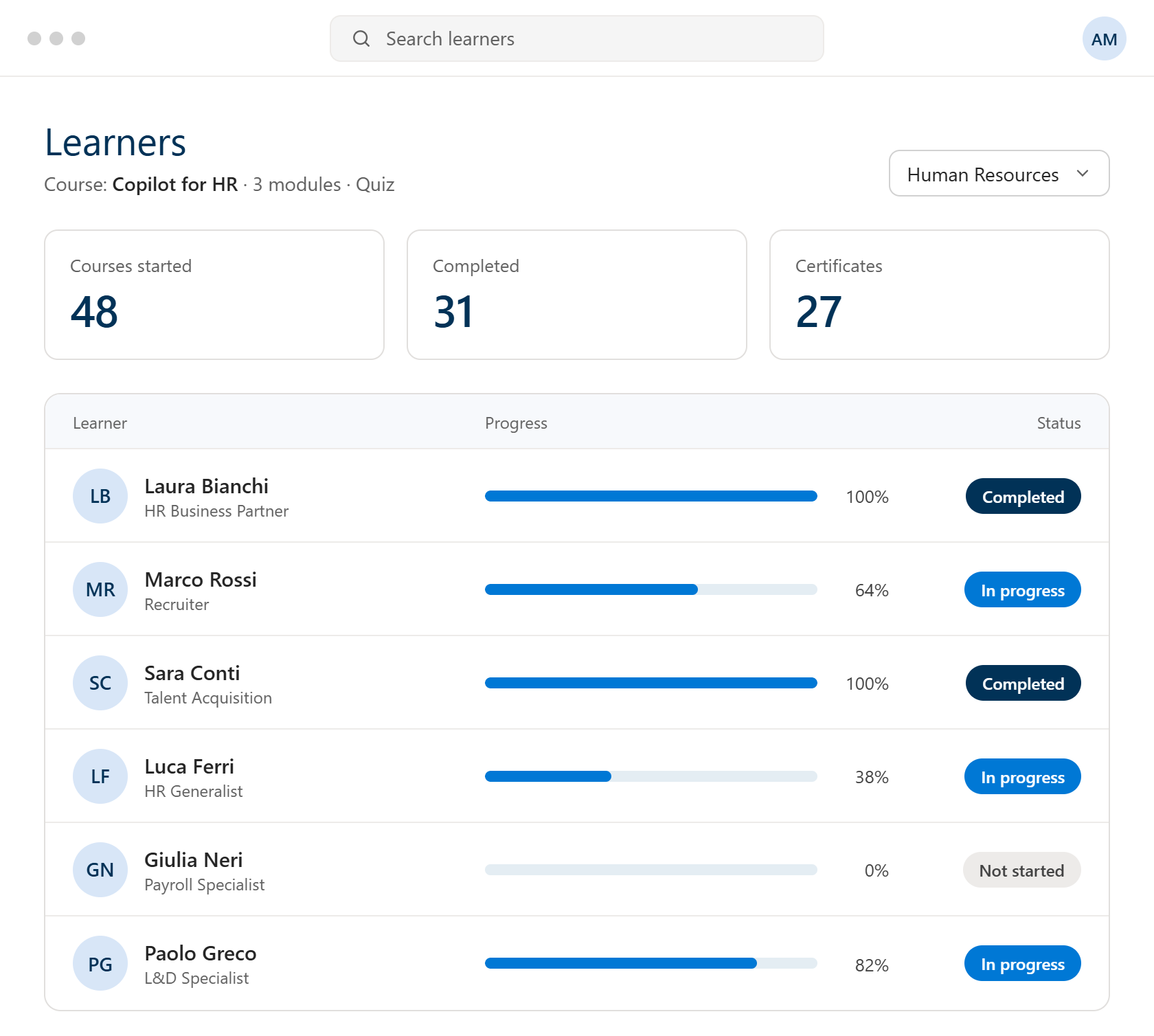
Who started, who completed and who earned a certificate.

Job posts drafted in minutes, CVs compared in a single table and onboarding plans built from your own documents. Copilot Circle helps your HR team do it with Microsoft 365 Copilot, every day.
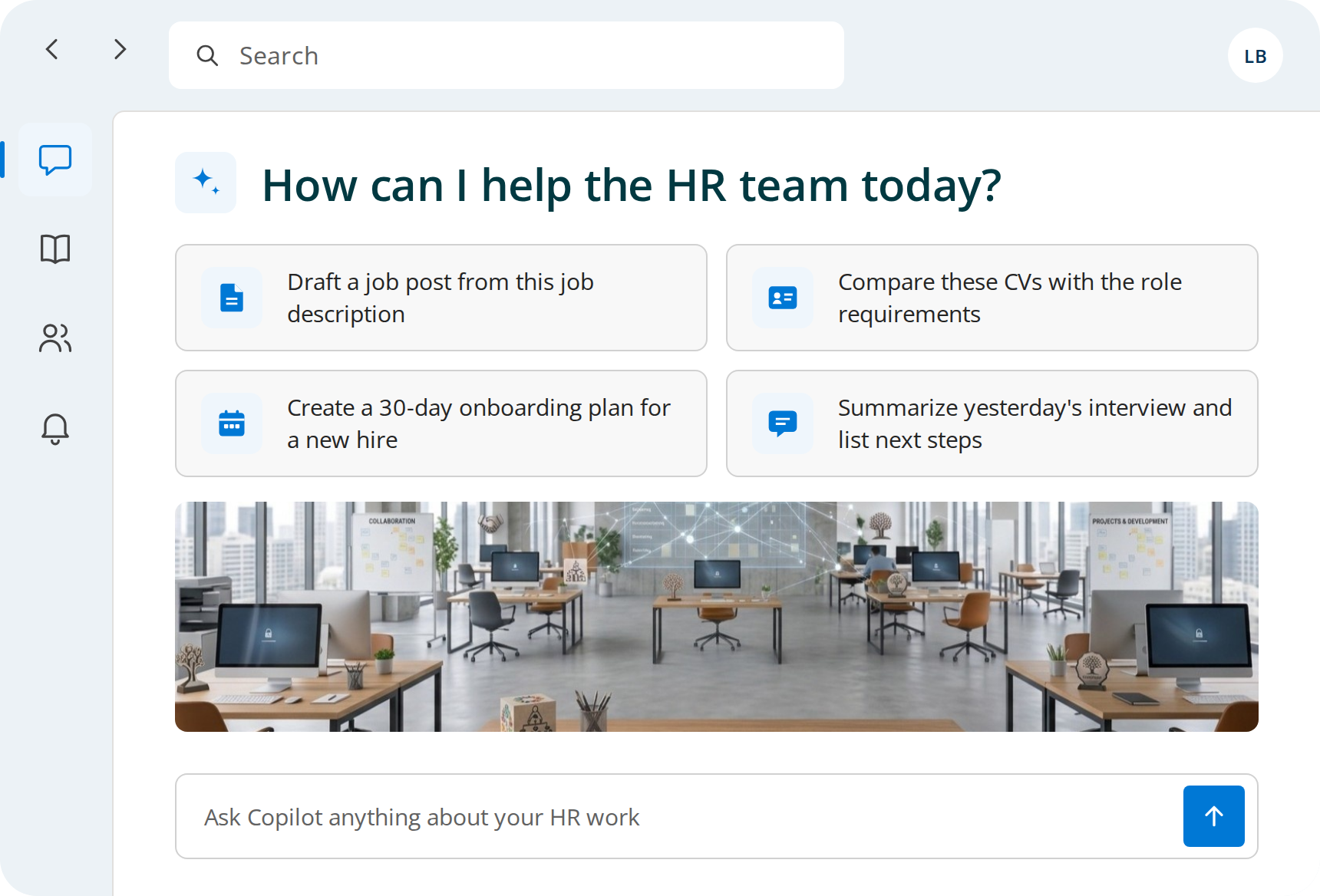



Each new opening starts from a blank page, although structure, benefits and company details rarely change.

Copilot turns your job description into a first draft of the post, in your company tone, ready to adapt for each channel.
Every application has to be read, compared and summarized by hand before the shortlist is even ready.
Copilot lays out each CV against the role requirements in one table. The evaluation and the shortlist stay with the recruiter.
Policies, handbooks and checklists exist, but they are scattered across folders, versions and email threads.
Copilot turns policies and checklists in SharePoint into a 30-day plan, and drafts the welcome email in Outlook.
Writing up interviews and meetings takes time away from candidates, and important details often get lost.
With transcription on, Copilot recaps key points, open questions and follow-ups, so the interviewer can focus on the candidate.
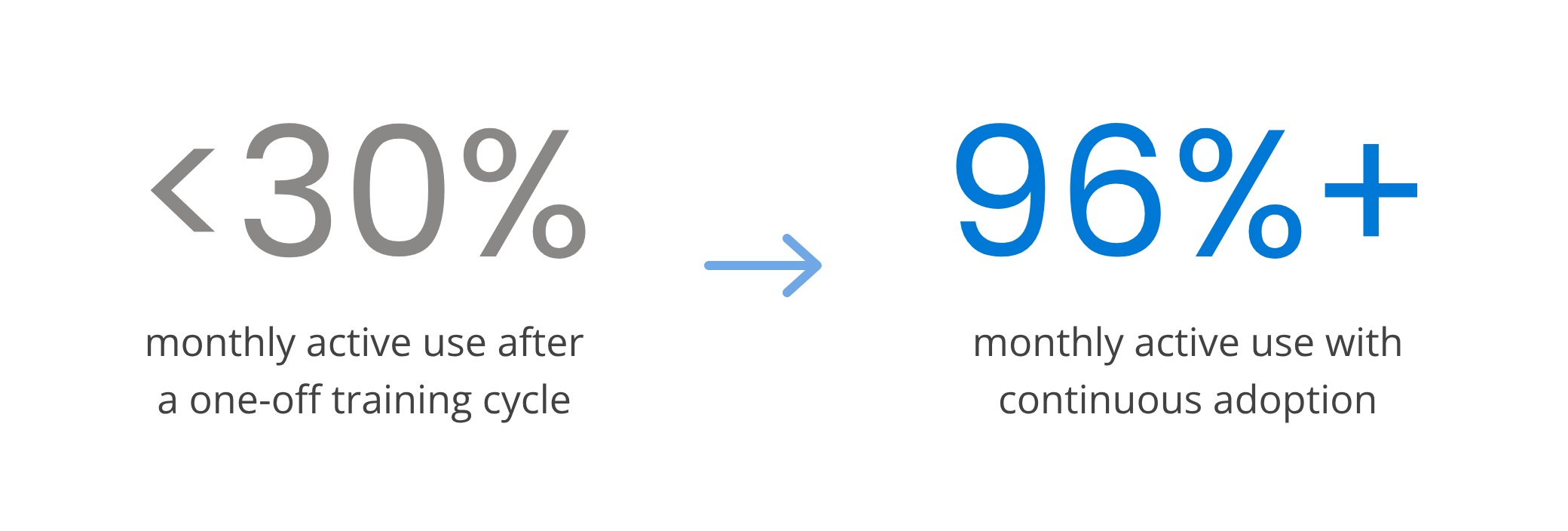
After the first training session, most people forget what to ask Copilot.
Training emails stay unread and new features go unnoticed.

Real Copilot usage by department, role and person, updated in real time.

Each user placed in one of four maturity levels, with no surveys.

Personalized tips, prompts and courses where people already work.
Short courses with quizzes and certificates, in more than 40 languages.

Ready-made prompts by Microsoft 365 app and by role, HR included.
Training and change management usually sit with HR. The Copilot Circle dashboard shows how courses and Copilot usage progress, from the whole group down to each department, with separate views for Microsoft 365 Copilot and Copilot Chat.
Who started, who completed and who earned a certificate.

Users tracked week after week.
How long users take to become active.

Find the colleagues who can help others get started with Copilot.


Some of our HR microlearning courses available in the platform.





Automation gets you far, but sometimes your team needs a real person. Our certified trainers deliver hands-on sessions. The AI Agent identifies who needs human support and when.

Practical sessions where your team works through hands-on exercises.

Webinars on how to create a job posting, evaluate candidates, and manage onboarding and training.

A check-in with a Copilot specialist to review progress.
✔ Real HR tasks, not generic demos.
✔ Colleagues who support each other.
✔ Know-how that stays in the company.
The EU AI Act lists AI used to recruit or select people, in particular to filter applications and evaluate candidates, among high-risk uses. That does not keep Copilot out of HR, but changes how you use it.


Copilot Circle runs in your environment and stores no company data outside it.
Copilot only works with content each person is already allowed to see.
Native integration with Microsoft Entra ID, operations aligned with Microsoft policies.
With Copilot in daily use, recruiters stop pasting CVs into personal AI accounts.
Every job post, plan and hiring decision is reviewed by HR.
One of our specialists will get back to you within 24 hours.
Yes. Alongside the general Copilot courses, HR teams get microlearning on the tasks they do most, such as job posts, resume comparison, onboarding plans and policy communications. Courses are short, come with quizzes and certificates and are available in more than 40 languages, so the whole team can follow them between meetings.
No. The AI Act classifies AI systems used to recruit, select and evaluate people as high-risk, and those obligations apply from 2 December 2027, deferred by the AI Omnibus adopted in July 2026. Drafting job posts, summarizing interviews and preparing onboarding plans fall outside that scope. What matters is that ranking, shortlisting and hiring decisions stay with people, and our training sets those boundaries with your HR team.
The Copilot Circle dashboard shows real usage by department, role and person, taken from your Microsoft 365 tenant with no surveys. You see who has never started, who uses Copilot occasionally and who has become a power user, together with course progress and certificates. HR can then act on the people who need help, instead of guessing.
Yes. Plans are based on the number of Microsoft 365 licenses in the company, not on the size of the HR team, so a five-person HR department in a 300-person company is covered like any other. The AI Agent works the same way too, following each person individually, which matters even more when the team is small.
Copilot Circle includes a library of 600+ ready-made prompts organized by Microsoft 365 app and by role, with a section for HR, and the AI Agent sends the right one in Teams when it is useful. For a first look at what Copilot can do in HR, read our guide to using Copilot in HR, with a prompt for every use case.