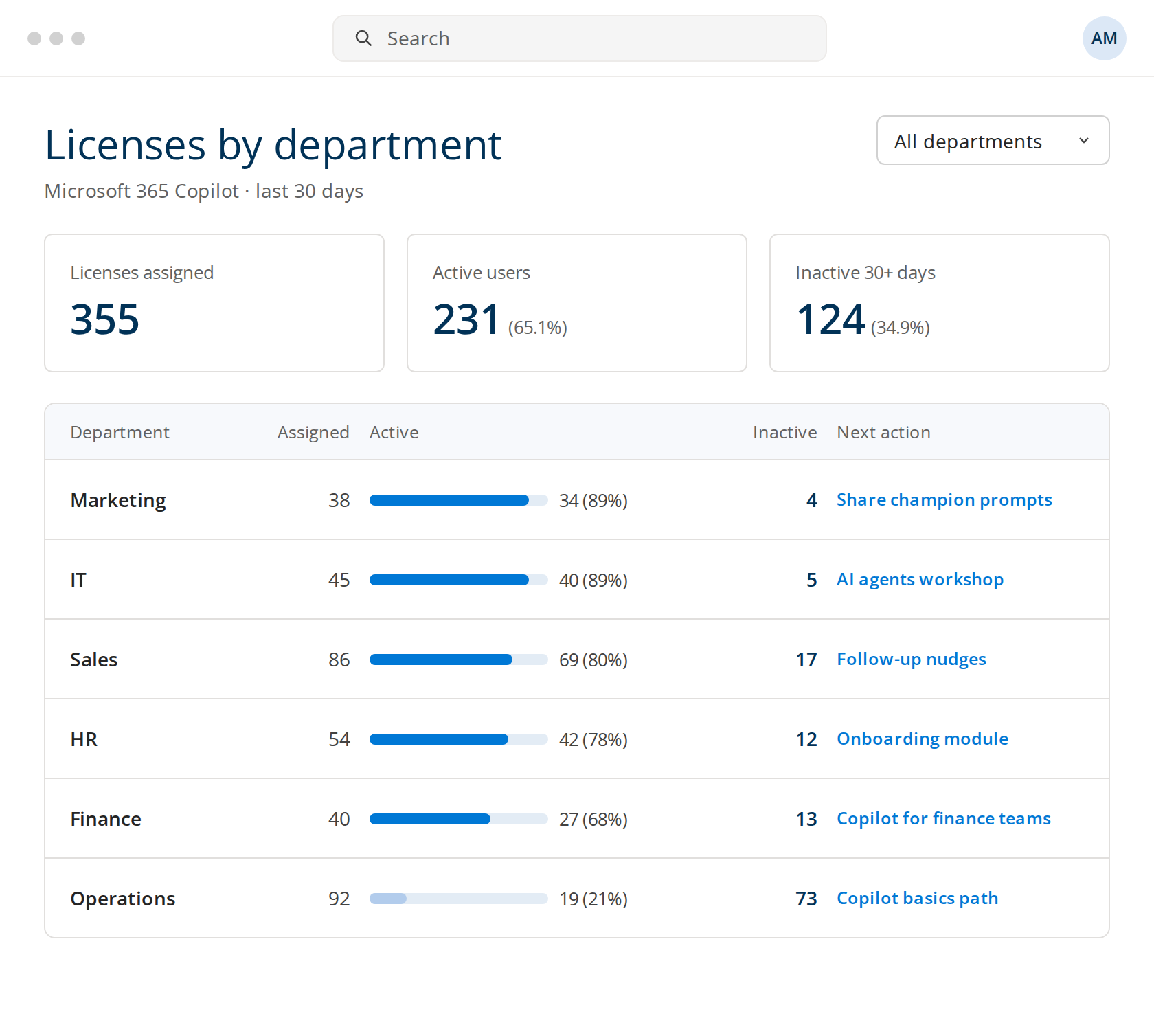
Active and inactive licenses
Licenses unused for 30 days or more, by department.

A readiness check before launch and an AI Agent that trains every team for you. Copilot Circle helps IT roll out Microsoft 365 Copilot and keep it in use.





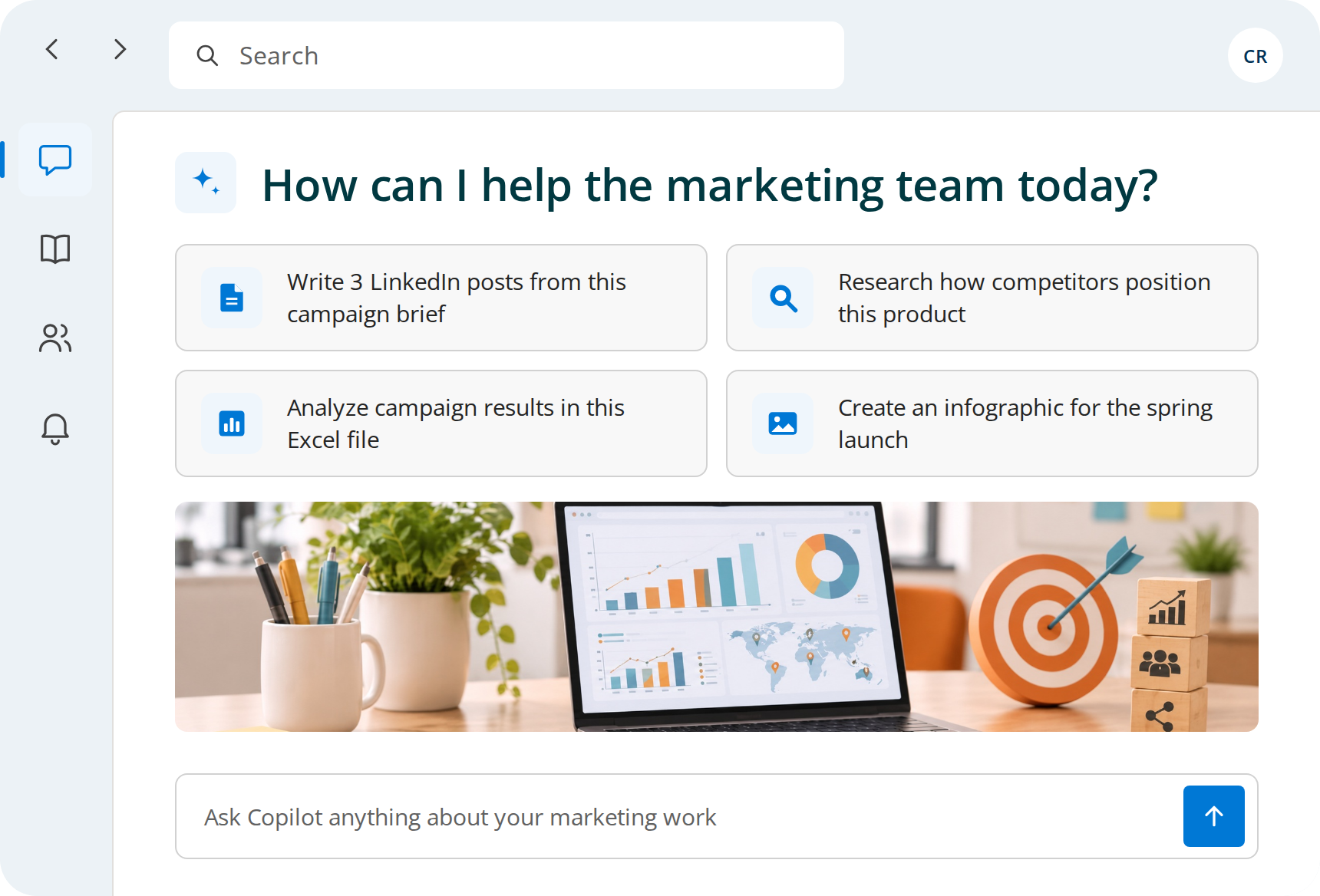
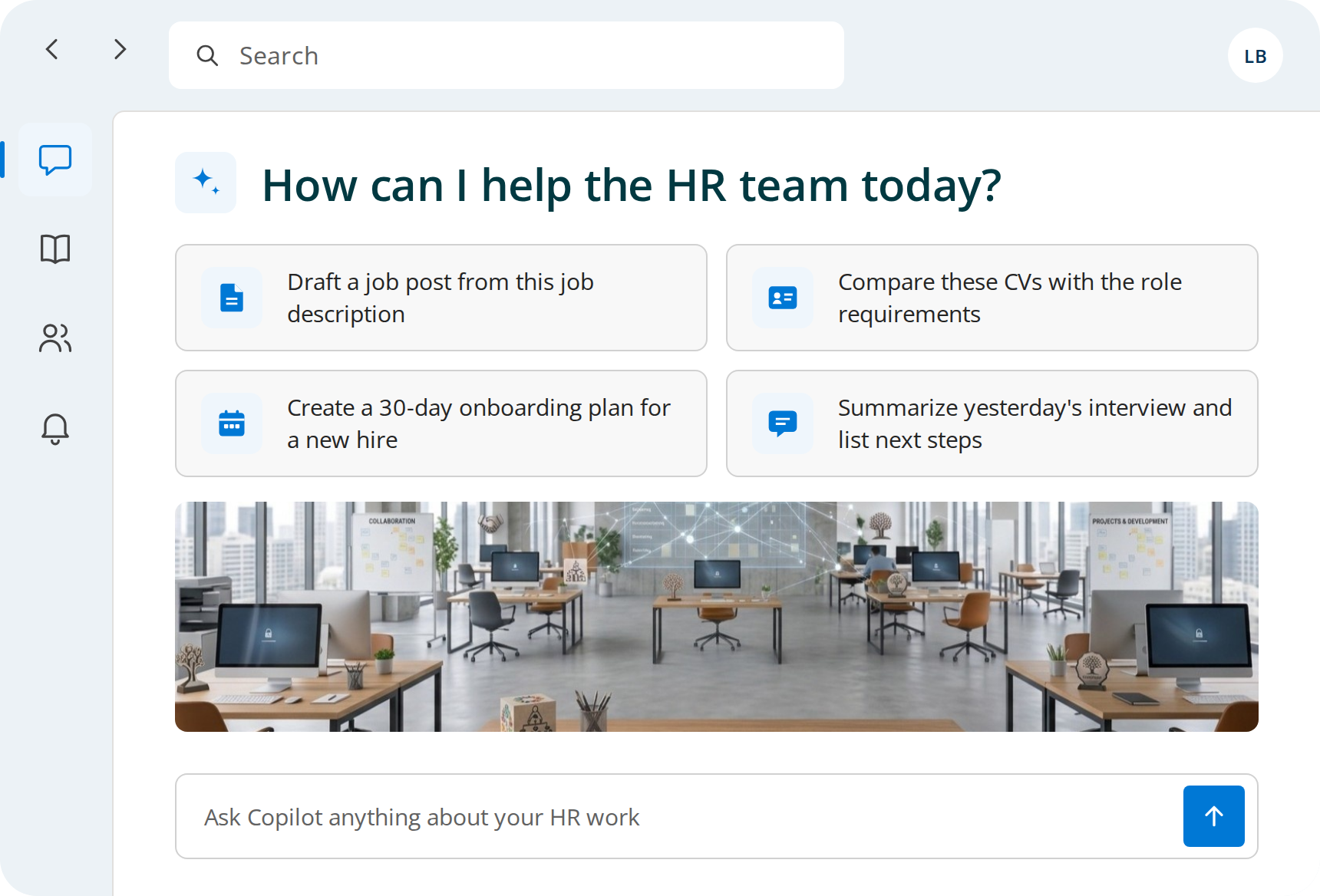
VPN, MFA and shared mailbox requests are answered from scratch each time.

Copilot drafts clear replies from knowledge base articles and past threads, in plain language for non-technical users.
Small admin scripts take an afternoon, and old ones nobody can read.
Copilot writes and comments PowerShell or Python scripts, and explains old ones line by line. Every script is tested before it runs.
Long policies and logs compared by eye.
Copilot lists the differences between two configuration versions and explains their possible impact.
Change meetings end, and the runbooks never get written.
Copilot turns the Teams recap of a change review into a runbook in Word, with steps, owners and a rollback plan.
One is using Copilot on your own work. The other is getting every other department to use it, without the how-to questions landing on the service desk. Copilot Circle covers both.



IT gets the licenses assigned and the tenant ready. Then adoption becomes a training problem nobody owns, and the how-to questions land on the service desk.
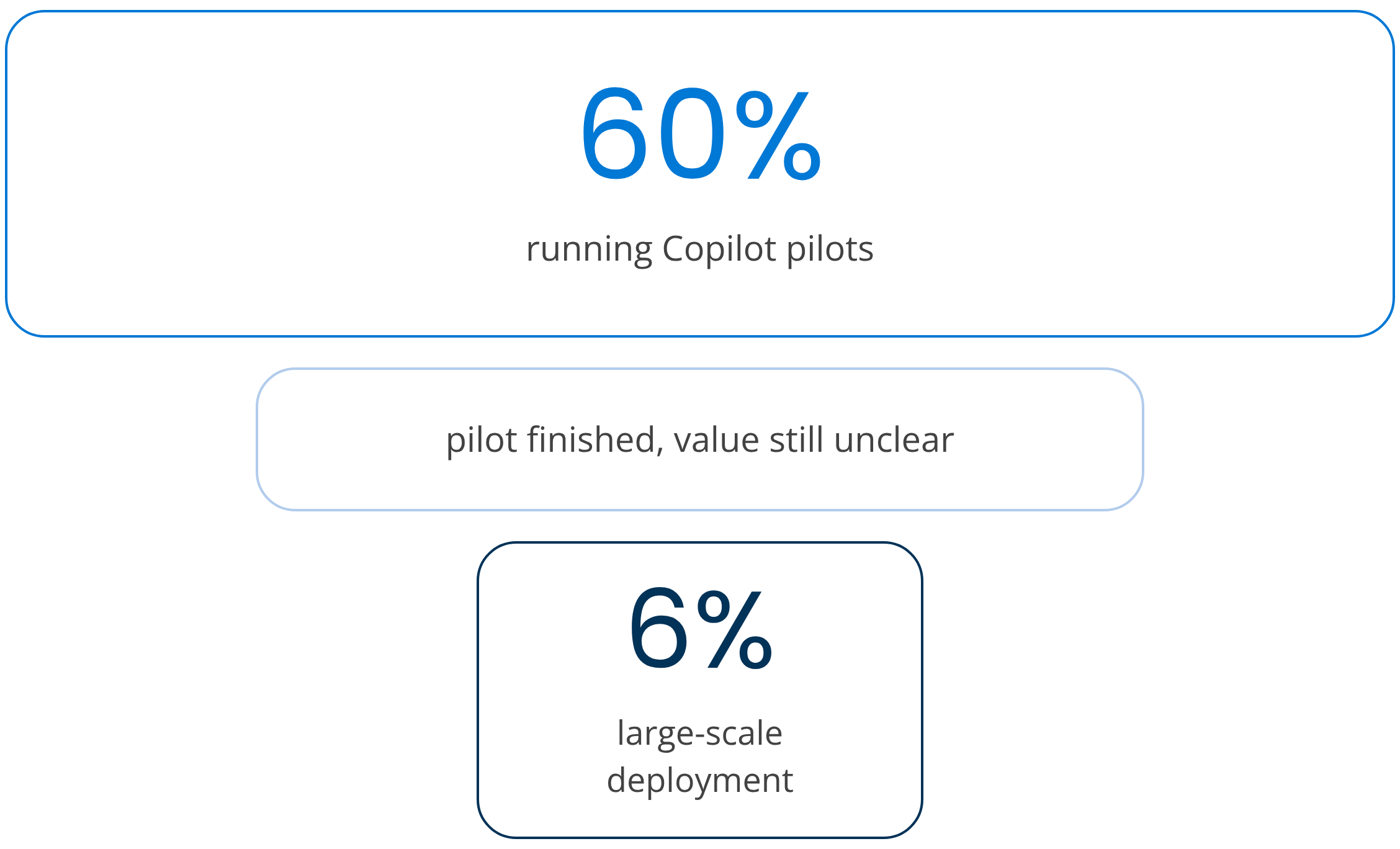
Gartner, Copilot for Microsoft 365: Assessing the Impact and Value So Far, 2024
Most rollouts stall because licenses go live before the tenant and the people are ready. Copilot Circle works in three phases, and IT keeps control of each one.

Before users open Copilot.

Every team learns on its own tasks.

After launch, adoption keeps going.
Readiness checks before launch, training by department, then an AI Agent that sees how every employee uses Copilot and sends the right prompt, tip or course in Microsoft Teams. IT sets it up once.
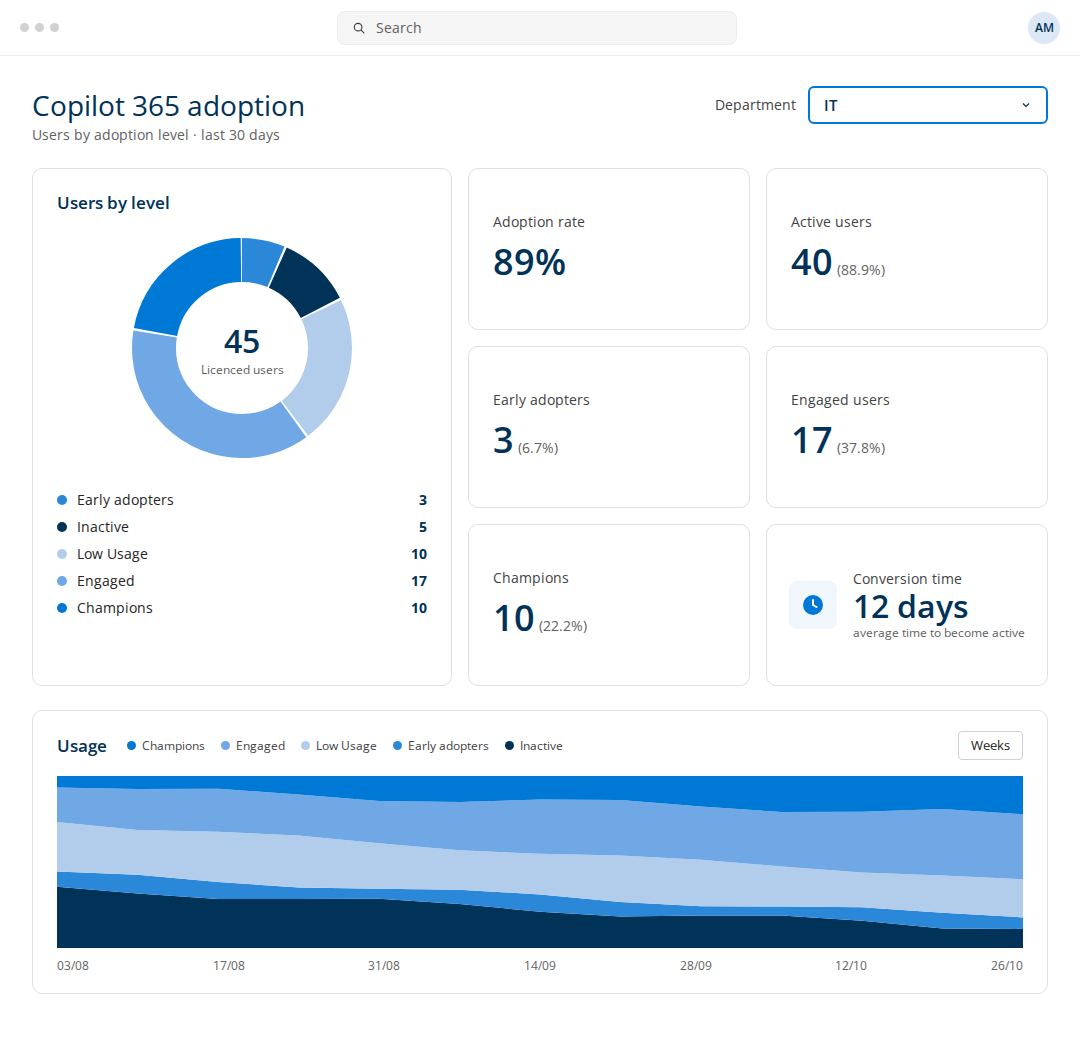
Copilot and Copilot Chat usage by department, role and person.

Every user placed in one of four maturity levels from real usage.

Nudges and short courses in Teams answer the basics before they become tickets.

150+ courses, from Copilot basics to specific tracks, in 40+ languages.

600+ ready prompts by Microsoft 365 app and role.

Live “What’s New” sessions, so updates reach users without an IT memo.
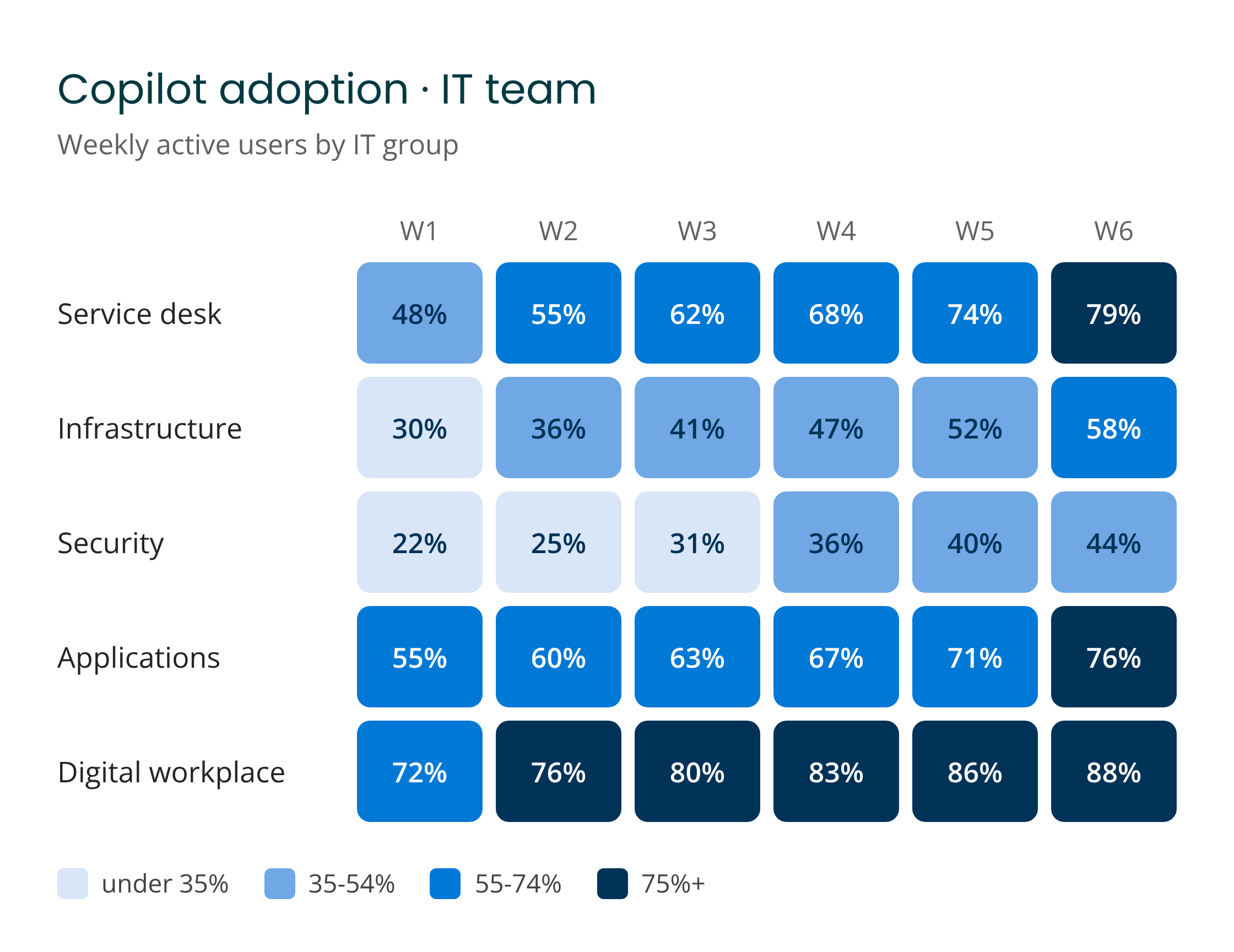
Weekly Copilot use by department, with the action the AI Agent takes next. Data comes from your tenant, with separate views for Microsoft 365 Copilot and Copilot Chat.
Licenses unused for 30 days or more, by department.
How long each department takes to become active.

Power users who can support colleagues before IT does.
Two views for two different licenses.
IT needs its own Copilot skills and a way to train everyone else after launch. These courses cover both, from agents to monthly updates.








Automation gets you far, but sometimes your team needs a real person. Our certified trainers deliver hands-on sessions. The AI Agent identifies who needs human support and when.
Practical sessions where your team works through hands-on exercises.

Webinars on how to resolve support requests, create and modify scripts, investigate documents and configs.

A check-in with a Copilot specialist to review progress, in every plan.
✔ Real IT tasks, not generic demos.
✔ Colleagues who support each other.
✔ Know-how that stays in the company.

Inside your Microsoft 365 tenant. Native integration with Microsoft Entra ID.
No data stored outside your environment.
GDPR compliant by design, aligned with Microsoft policies.
When Copilot is the habit, fewer people turn to personal AI accounts.
Permissions and setup steps shared with IT before kickoff.
One of our specialists will get back to you within 24 hours.
Copilot Circle runs inside your Microsoft 365 tenant, with native integration to Microsoft Entra ID. It works on Copilot and Copilot Chat usage signals and on course progress, not on the content of your documents and messages, and stores no company data outside your environment. The platform is GDPR compliant by design.
Nothing is installed on devices. Setup is done once by an administrator, with the permissions in Microsoft 365, the connection to your tenant and the Teams app that delivers nudges and courses where people already work. We share the permissions and the setup steps with your IT team before kickoff, so they can go through your security review first.
The dashboard shows weekly active use by department, role and person, how long each department takes to go from license to first use, which licenses have been idle for 30 days or more and who the champions are. Microsoft 365 Copilot and Copilot Chat have separate views, so you can see what each license is actually doing.
That is where most rollouts stall. IT gets the licenses assigned and the tenant ready, then adoption becomes a training problem nobody owns and the how-to questions land on the service desk. Copilot Circle takes that part, with courses on each department’s own tasks, nudges in Teams and live sessions, so IT stops being the help desk for prompts.
In three phases: readiness before users open Copilot, with data in the cloud, a security assessment and a license review, then training by department, then an AI Agent that keeps adoption going after launch. Our guide to Microsoft 365 Copilot adoption walks through the steps and the most common mistakes.