Work on company documents
Use Copilot on contracts and policies. Case law and doctrine stay in your legal databases.

Contracts compared with your templates, policies summarized and internal questions answered from your files. Copilot Circle helps your legal team do it with Microsoft 365 Copilot, with lawyers in charge.


Comparing a supplier’s draft with the standard terms takes hours.

Copilot lists the clauses that differ from your standard terms, with a short note on each, so review starts from the changes.
Colleagues ask questions that the policy already answers, because nobody has time to read it.
Copilot turns long policies into short summaries and FAQs for non-lawyers, so colleagues find answers on their own.
Sales asks the same questions about terms and approvals, and every answer takes time away from contracts.
Copilot answers recurring questions from sales using your contracts and policies, with links to the source.
Renewals and notice periods are buried in contracts spread across folders.
Copilot pulls renewal dates, notice periods and termination clauses from several contracts into one table.
Legal teams are careful by nature, and they should be. Three reasons usually keep the licenses unused, and each has an answer on this page.

Legal teams adopt Copilot faster when the rules come before the licenses. Here is a starting point.
Use Copilot on contracts and policies. Case law and doctrine stay in your legal databases.

Apply sensitivity labels to restricted folders before people start asking Copilot about them.

Reference documents with “/” so every answer can be checked against the original.

For significant docs, note which parts were drafted with Microsoft 365 Copilot.

No Copilot draft leaves the team without a lawyer’s review.


Copilot Circle runs in your environment and stores no company data outside it.
Copilot only works with content each person is already allowed to see.
Native integration with Microsoft Entra ID, operations aligned with Microsoft policies.
With Copilot in daily use, drafts stop being pasted into personal AI accounts.

Copilot usage by team, role and person, updated in real time.

Each user placed in one of four maturity levels, with no surveys.

Personalized tips, prompts and courses where people already work.

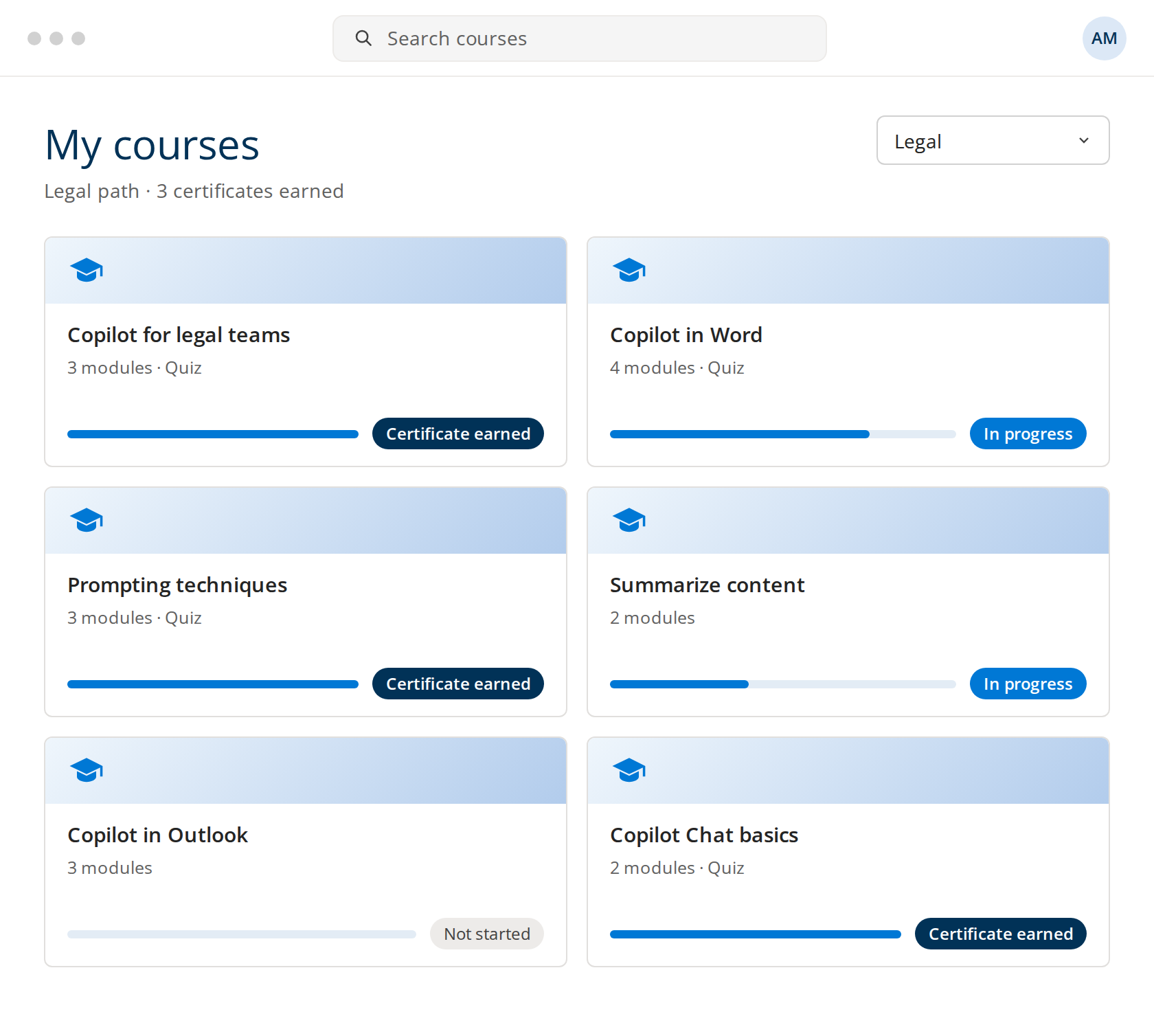
Short courses with quizzes and certificates, in more than 40 languages.

600+ ready-made prompts by Microsoft 365 app and by role.

Badges and certificates for every course completed.
Courses focused on document work. Every example keeps the lawyer in charge of the final text.






Automation gets you far, but sometimes your team needs a real person. Our certified trainers deliver hands-on sessions. The AI Agent identifies who needs human support and when.

Practical sessions where your team works through hands-on exercises.

Webinars on how to review contracts, develop a legal strategy, provide legal assistance.

A check-in with a Copilot specialist to review progress.
✔ Real Legal tasks for your team.
✔ Colleagues who support each other.
✔ Know-how that stays in the company.
One of our specialists will get back to you within 24 hours.
Yes, within limits you control. Copilot works inside your Microsoft 365 tenant and only reads files each person can already open, so confidentiality depends on how your SharePoint and Teams permissions are set. Copilot Circle runs in the same environment and stores no company data outside it. Before rollout we review access, sensitivity labels and retention with your IT team.
Five rules are usually enough: work on company documents, label confidential files first, always cite the source with the “/” reference, record where Copilot helped on significant documents, and have a lawyer sign off every text. We set these rules with your team in the first workshop, so everyone starts from the same standard rather than from individual habits.
No. Copilot is strongest on your own contracts, policies, emails and meetings. Case law and doctrine stay in your legal databases, unless IT connects one of them to Copilot. Any reference Copilot produces from the web or from its general knowledge has to be checked in an official source before it is used.
In three ways that work together: short courses on the tasks lawyers repeat, live sessions with certified trainers on your real documents, and an AI Agent that sends prompts and tips in Teams when someone is about to do a task Copilot can help with. Progress and certificates are tracked for each person.
Research across company files, summaries of long documents and meetings, first drafts of emails and contracts from your templates, and a clause-by-clause comparison of a counterparty draft against your standard terms. Our guide on how lawyers use Copilot covers each of these with prompts and the checks to run.