
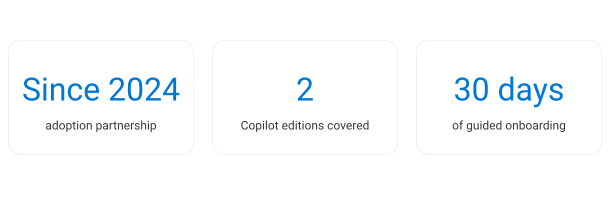
Some adoption stories fit inside a single program. This one has been built over time. A pharmaceutical group, already a customer of our group for its intranet, was among the first companies to start a Copilot adoption journey with us, beginning with a simple first program to introduce the assistant to its people.
The results convinced the company to keep going. In the following years it invested more in licenses and in training, with new sessions every time Microsoft released important features, then an adoption program for Copilot Chat.
At some point, though, the model reached its limit. New licenses kept arriving, a few dozen at a time, and Copilot kept changing. Organizing a session for every new group of users was no longer sustainable. That is when the group chose to make adoption continuous and automatic with Copilot Circle.
The Problem: a Copilot that keeps changing and licenses that keep arriving
The group did not struggle to start with Copilot. The difficulty was keeping adoption alive while both the tool and the user base kept moving.
Copilot evolves faster than a training calendar. Microsoft releases new Copilot features at a steady pace, and each important release can open new use cases for people's daily work. For the group, that meant one update wave after another, with sessions to explain what had changed and how to use it. Valuable, but every wave had to be planned, scheduled and attended, and the next release was always on its way.
After several adjustments and redistributions, the company assigned new licenses a few dozen at a time, at irregular intervals, rather than in large, well-defined waves. Each small group of new users needed an introduction. Organizing a dedicated session every time was hard to sustain, while sending people to old, long training recordings tends to produce poor results.
Alongside Microsoft 365 Copilot license holders, the group had rolled out Copilot Chat to employees with a standard Microsoft 365 license. The two audiences use different features and need different first steps, so a single onboarding path would not fit both. Two Copilot experiences, two starting points.

Our Solution: update waves, then continuous adoption
The answer came in two stages: first we followed the group's growth with live training, then we made adoption continuous with Copilot Circle.
Stage one: live training that grew with the company
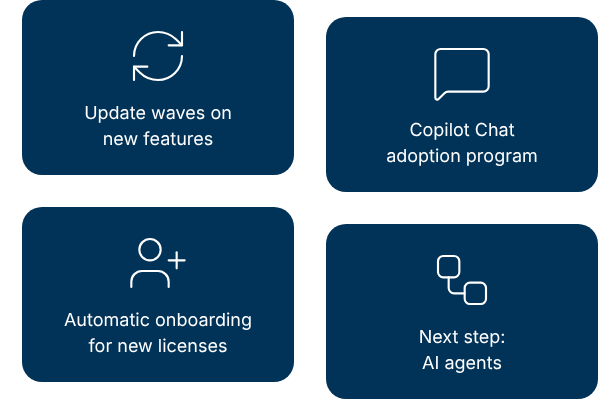
After the first program, our adoption specialists accompanied the group through several update waves on Microsoft 365 Copilot, each one focused on the new features that mattered most for daily work. New waves follow as new features arrive.
In parallel, we delivered an adoption program for Copilot Chat, so that employees without a Microsoft 365 Copilot license could also bring Copilot into their daily work.
Stage two: Copilot Circle for continuous adoption
To stop depending on the training calendar, the group activated Copilot Circle. Its Adoption Agent works on the usage data Microsoft already provides and handles the moments that used to require a new session:
- Automatic onboarding: anyone who received a license in the last 30 days is recognized as an Early adopter and receives the right introductory path, for Microsoft 365 Copilot or for Copilot Chat depending on the license. The platform follows each person until the path is complete, with no ad hoc session from IT or HR.
- Personalized nudges: after the first steps, every user receives use cases, ready-made prompts and microlearning modules matched to their maturity level and role, by email or in Microsoft Teams, at a frequency the company sets and each person can adjust.
- An adoption dashboard for IT and HR: IT sees which people and departments use Copilot well and who has stopped using it, useful information when licenses need to be reassigned. HR tracks completed courses and certificates without manual reporting.
Live sessions remain part of the model, now focused on what changes in Copilot rather than on repeating the basics for every new group of users. Throughout, only usage signals are analyzed, such as which Copilot experience was used on which day: prompts and content are never read.

The results: an adoption model that no longer depends on the calendar
The clearest result of this partnership is the path the group has chosen, one step after another.
- An investment that kept growing: starting from a simple first program, the company expanded both its Copilot licenses and its training with us over the years.
- Both Copilot experiences covered: Microsoft 365 Copilot users followed update waves on new features, while employees with a standard license were introduced to Copilot Chat.
- Onboarding that no longer depends on a calendar: with Copilot Circle, every new license holder enters an introductory path automatically, whether licenses arrive by the dozen or one at a time.
- Clear data for license decisions: IT can see who is using Copilot and who is not, a solid basis for reassigning licenses to the people who will use them.
The decision to adopt Copilot Circle came from experience. After years of live training, the group knew exactly which part of the work needed to become continuous.

What's next?
With continuous adoption in place, the next phase looks beyond personal productivity. Together with the group, we are already working on AI agents that can bring Copilot into its business processes.
💡 The real challenge was never the first program, but keeping pace with a tool that changes every month and a user base that keeps growing.
Do new Copilot licenses keep arriving in small batches? Book a demo and see how Copilot Circle onboards every new user automatically and keeps the whole organization up to date with each new feature.